Get Open Webpage
Command description
Find one open webpage in the specified browser by title or URL. The title or URL match is a substring match. If multiple webpages match, the command reports an error.
Command Input Parameters
| input parameters | Input parameter type | Description |
|---|---|---|
| Browser Type | enum | Google Chrome, Edge, QQ Browser, BitBrowser, AdsPower |
| Match Method | enum | Title, URL, Current Webpage |
| Title | str | Required only when Match Method is Title; find a webpage whose title contains this text |
| URL | str | Required only when Match Method is URL; find a webpage whose URL contains this text |
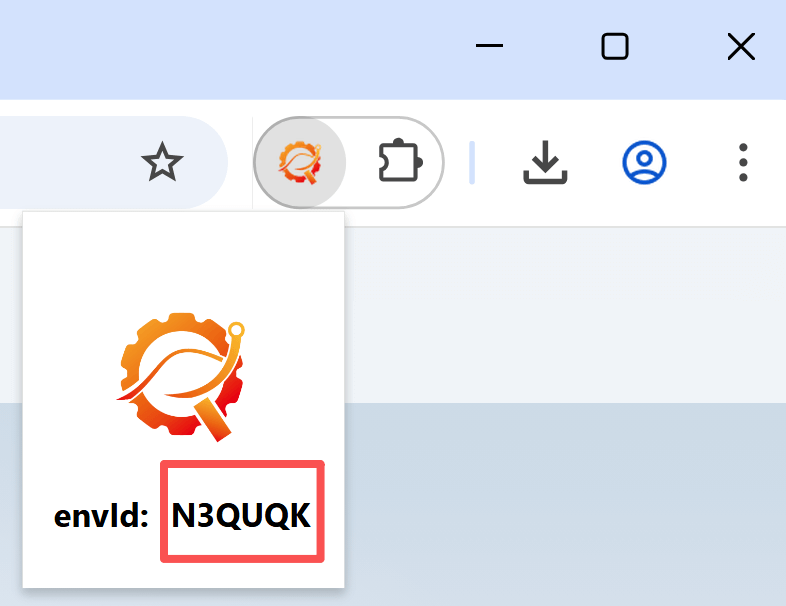
| envId | str | Environment ID of the target BitBrowser or AdsPower window. Required only for those browser types |
| Page Load Timeout | number | Maximum time to wait for the webpage, in seconds |
Command Output Parameters
| Output parameters | Output parameter type | Description |
|---|---|---|
| Webpage Object | WebPage | Matching webpage |
Type definition reference
To get a webpage from a specific BitBrowser or AdsPower window:
-
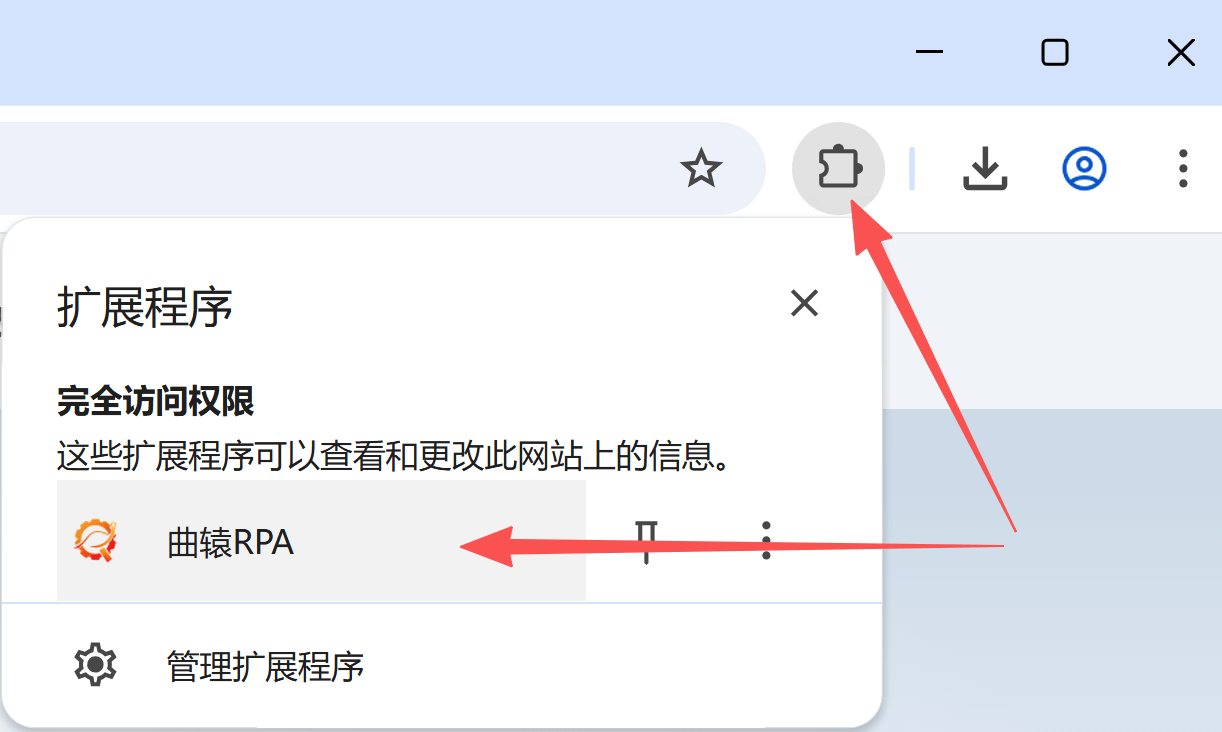
Get envId
Open the Runavelo extension from the upper-right corner of the BitBrowser or AdsPower window. Runavelo generates a unique envId for each window. Reinstalling the extension changes the envId.
-
Specify envId
Configure envId in Get Open Webpage to select the corresponding BitBrowser or AdsPower window. Pass the returned Webpage Object to subsequent element and page commands.
tip
- Runavelo browser extension 2.0.0 or later
Example
Related links
Operate a Specific BitBrowser or AdsPower Window