Operate a Specific BitBrowser or AdsPower Window
- Download and import target-finger-browser.qya (right-click and select Save link as) to view the sample workflow.
BitBrowser and AdsPower can open multiple independent browser profiles. Each window is an isolated environment, allowing you to sign in to a different account. This article explains how to locate a target profile window and automate it.
1. Get envId
If you know the browser window ID in BitBrowser or AdsPower, you can use the Open Fingerprint Browser Window command to open the specified window and obtain the envId.
You can also view the envId manually in an open fingerprint browser window:
Open Extensions > Runavelo in the upper-right corner of the BitBrowser or AdsPower window to view its envId. Runavelo generates a unique envId for each profile window. Reinstalling the Runavelo extension changes the envId.
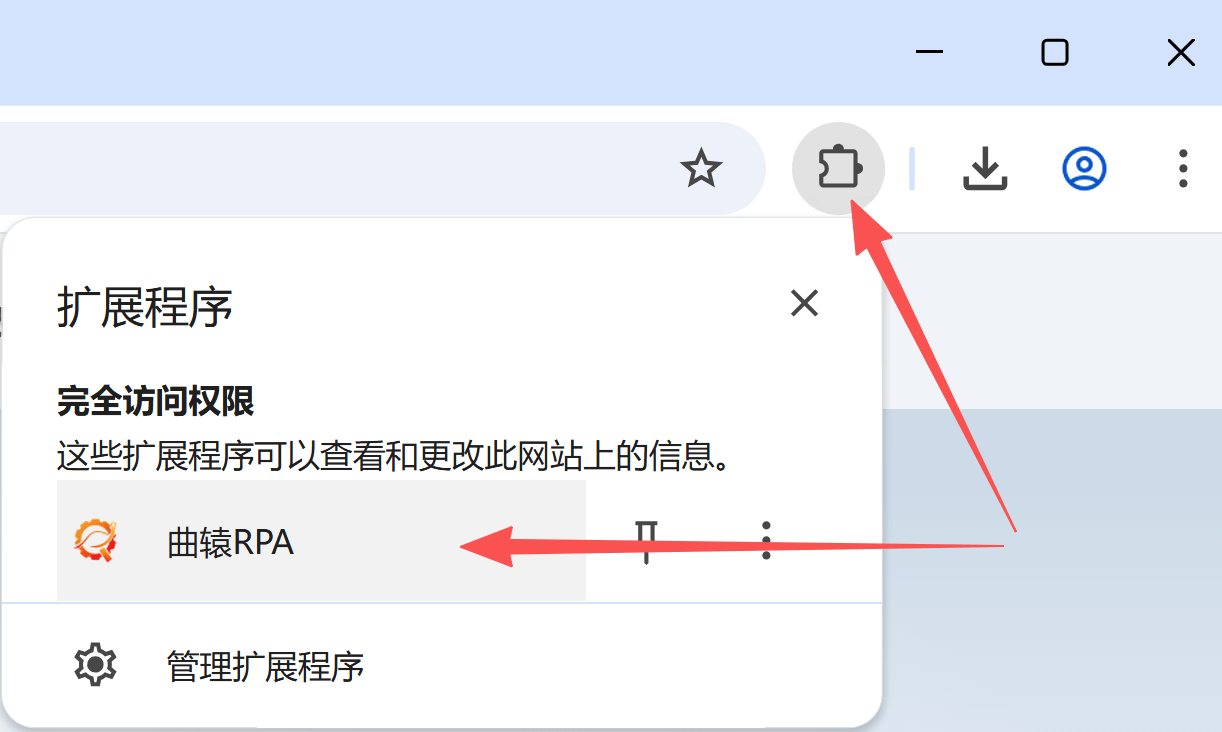
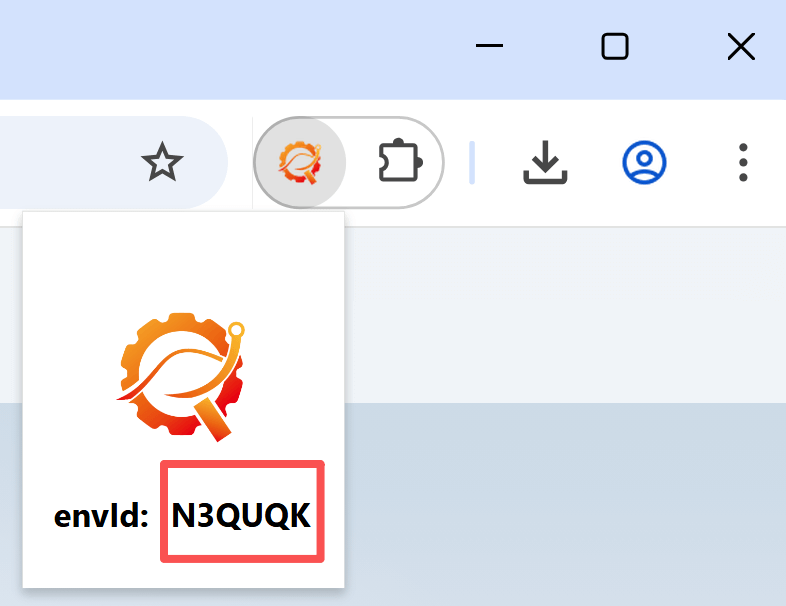
2. Specify envId
Set envId on Open Webpage to open a webpage in the corresponding BitBrowser or AdsPower window. The same identifier can be used with Get Open Webpage, Get All Open Webpages, Download File in Browser, and other browser commands.
3. Web page automation
For subsequent automation, select the web_page object obtained in step 2. Commands will then run in the specified BitBrowser or AdsPower window without additional configuration.
- Runavelo browser extension 2.0.0 or later