Set Web Select
Command description
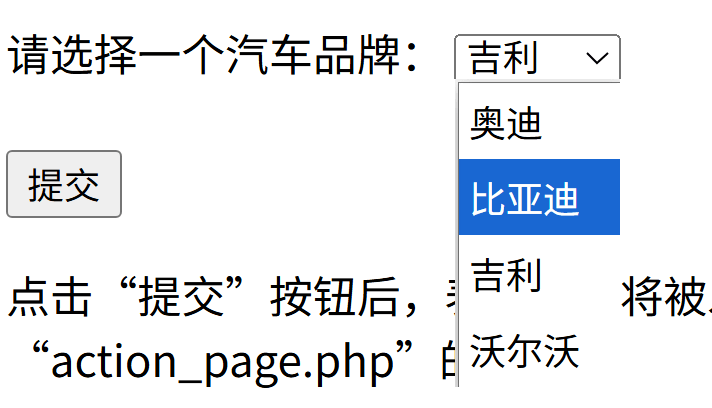
Select an option in a web <select> element. Capture the <select>, not an <option>. The command uses JavaScript, does not move the mouse, and can operate an obscured element.
<select name="cars" id="cars">
    <option value="audi">Audi</option>
    <option value="byd">BYD</option>
    <option value="geely">Geely</option>
    <option value="volvo">Volvo</option>
</select>
Command Input Parameters
| input parameters | Input parameter type | Description |
|---|---|---|
| Webpage Object | WebPage | Set the drop-down box in this web page |
| Web Element | WebElement or str (captured element UID, not element name, not runavelo-ui-id) | Select a captured element or one returned by Get Web Element, Get Similar Web Elements, or Get Related Web Elements |
| Modification Method | enum | By Option Text, By Option Index |
| Selected Value | str | Option index or text, such as 1 or Volvo in the example |
| Element Wait Duration | number | Maximum time to wait for the element to appear, in seconds |
| Post-Execution Delay | number | Time to wait after setting the value, in seconds |
Command Output Parameters
None
Type definition reference
tip
- Install Runavelo browser extension 0.0.10 or later before using this command.
- See Capture Web Elements for instructions on capturing elements and editing their attributes.
Example